Search for products...
 Login
Login$USD
 0Login0
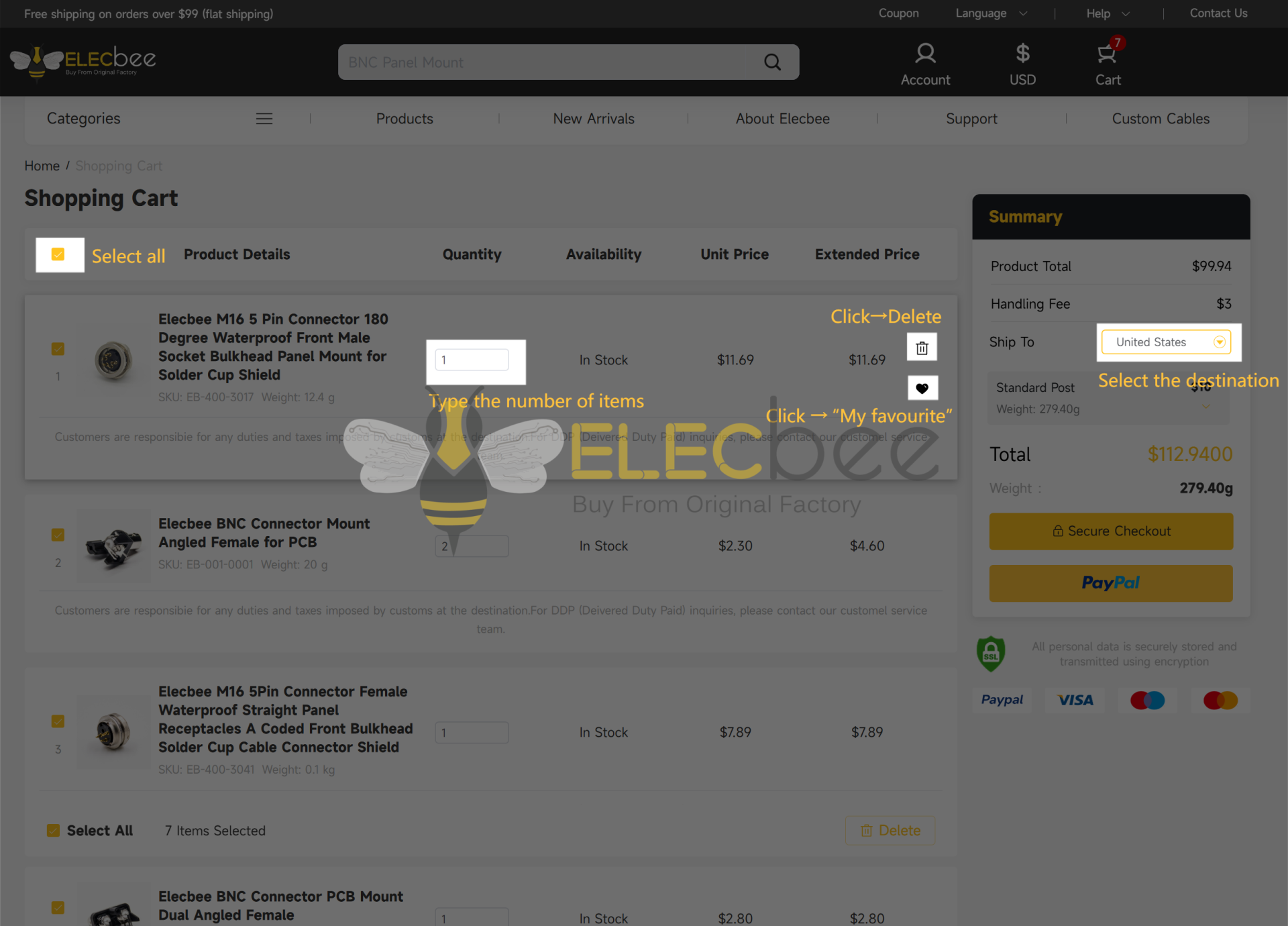
Welcome to our independent website shopping cart system! To help you get started quickly, here’s an overview of the core functions and usage instructions. Combined with the accompanying diagram, you’ll easily grasp the operation logic for a smoother shopping experience:
I. Product Management Functions
Adjust Product Information
You can directly modify the quantity of products in the cart (e.g., increase, decrease, or remove items) or change product specifications (e.g., size, length, etc.). After making adjustments, the system will automatically update the total price of the products.
View Product Details
If you need to verify product information (such as material, specifications, user reviews, etc.), simply click on the product name or image to quickly jump to the product details page for review.
Save Favorite Products
For items you don’t wish to purchase immediately, use the "Favorite" function to save them to your account. This avoids repeated searches and does not affect other items in your cart.
II. Discount and Checkout Functions
Apply Promo Codes
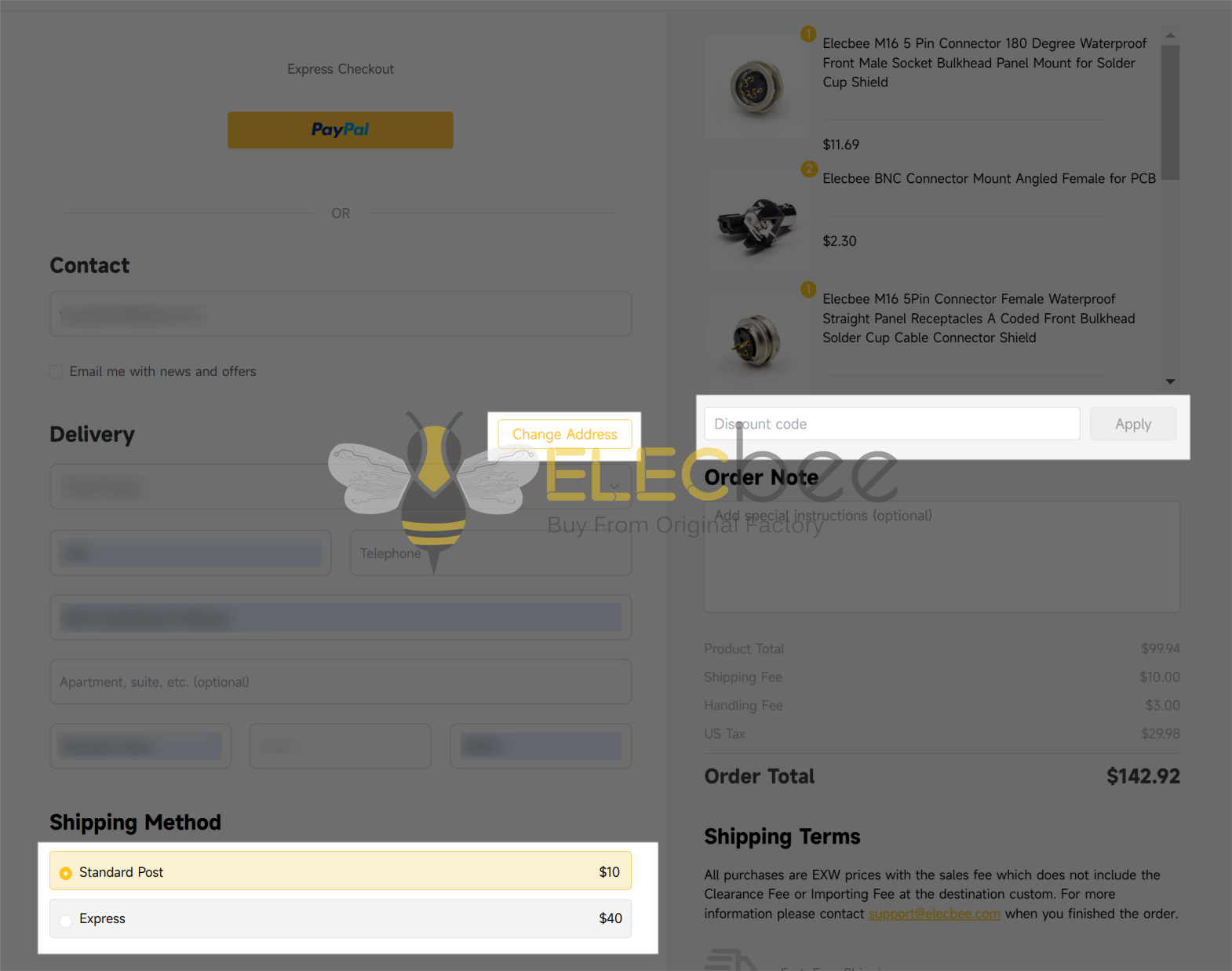
Enter a promo code (e.g., discount code, threshold discount code) in the designated area and click "Apply" to enjoy the corresponding discount. The system will instantly display the discounted amount and discount details.
Select Delivery Region and Method
Use the delivery region dropdown menu to choose your receiving province/city/area. The system will automatically match available delivery methods (e.g., standard delivery, expedited delivery, etc.) based on your selection, along with corresponding shipping fees and estimated delivery times. Please ensure the region is selected accurately to avoid delays in delivery.
Submit Order
After confirming the products, amount, and discount information are correct, click the core checkout button to proceed to the next step. Fill in the detailed delivery address, select a payment method (e.g., credit card), and complete the order submission.
III. Auxiliary and Help Functions
Continue Shopping
If you need to add other products, click the corresponding button to return to the product listing page. Items already in your cart will be automatically retained, so you won’t need to reselect them.
Get Help
If you encounter operational issues (e.g., failed product modifications, invalid promo codes, etc.), contact customer service or view the FAQ section for quick solutions.
Friendly Reminders
Products in your cart will be reserved for a certain period (please refer to the on-page prompt for details). We recommend checking out promptly to avoid items being sold out.
All operations are synchronized in real time. You can view the total product price, discount amount, and delivery information at any time, ensuring transparent and controllable shopping.
If you have any other questions, feel free to contact our customer service team. Happy shopping!