

Raspberry Pi and Orange Pi: only the size of a palm, but can run an operating system, connect to a monitor, keyboard and mouse, and control a variety of sensors and peripherals.They are widely used for learning programming, smart home, robotics, AI reasoning, GPS positioning, Bluetooth communication and other projects, which is a “universal toolbox” for creators and developers.For more than a decade, the Raspberry Pi has been the “king” of single board computers (SBCs), becoming the first choice for countless DIY projects thanks to its high stability, tutorials, and peripheral compatibility.But in recent years, Orange Pi from China is quickly attracting developer attention with stronger hardware performance and competitive pricing.So, if you're working on a project that involves AI reasoning, GPS positioning, and Bluetooth communication, should you choose the Orange Pi or the Raspberry Pi?Next, we'll combine community feedback, real-world test cases and performance comparisons to help you make a better choice.
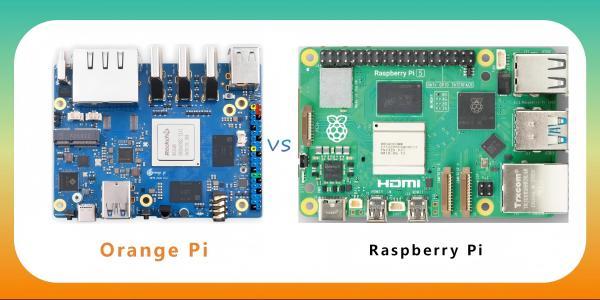
1. Performance comparison: on paper parameters Orange Pi crushes?
When it comes to hardware configurations, the Orange Pi usually offers higher specifications at the same price point.For example, the main comparison between the Orange Pi 5 Plus and the Raspberry Pi 5 is as follows:
|
Item |
Orange Pi 5 Plus |
Raspberry Pi 5 |
|
CPU |
Rockchip RK3588 (8-core, 4x Cortex-A76 + 4x Cortex-A55) |
Broadcom BCM2712 (4x Cortex-A76) |
|
GPU |
Mali-G610 MP4 |
VideoCore VII |
|
NPU |
6 TOPS theoretical peak |
No built-in NPU (requires additional AI-accelerated HAT) |
|
Memory |
4GB / 8GB / 16GB / 32GB LPDDR4X |
4GB / 8GB LPDDR4X |
|
Storage |
Support eMMC, NVMe, microSD |
microSD,microSD, need additional adapters NVMe |
|
Interfaces |
2x HDMI, PCIe 3.0, USB 3.0 x3 |
2x micro HDMI, PCIe 2.0 (adapter required), USB 3.0 x2 |
On the face of it, the Orange Pi offers a higher core count, a more powerful GPU, and a built-in NPU, as well as the ability to go straight to an NVMe SSD(Some models require M.2 adapter plate), which does make the performance more enticing on paper.
One forum user mentioned running YOLOv5 target detection on an Orange Pi 5 Plus and utilizing the NPU to perform inference up to 3~4 times faster than CPU mode, but noted that NPU driver compatibility is very sensitive to the system/kernel version.
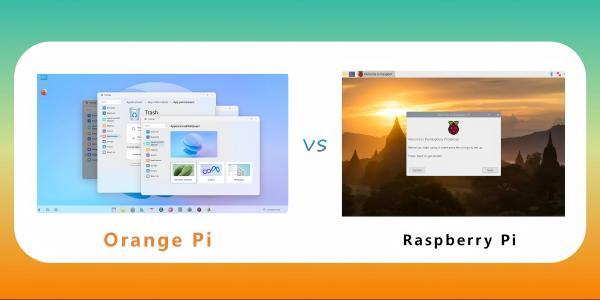
2. System and Driver Support: Raspberry Pi Eco Wins!
While the Orange Pi has higher hardware specs, the software ecosystem is its shortcoming.
General community feedback:
- Driver issues:Some peripherals (camera, WiFi, GPU acceleration) may require compiling their own drivers.
- Small selection of operating systems:although Ubuntu, Debian, and Android are officially available, version updates are unstable and third-party adaptations (e.g., Armbian) are of varying quality.
- Inadequate documentation:Hardware manuals and SDKs lack detail and rely on community experience.
In contrast, the Raspberry Pi is pretty much “out of the box” in this regard:
- The Raspberry Pi OS is continuously maintained and the mainline kernel is well adapted.
- There are tons of readily available tutorials, forum discussions, and Stack Overflow Q&A.
- Good peripheral compatibility, e.g. GPIO libraries (wiringPi, RPi.GPIO) are directly available.
- One developer shared that his Raspberry Pi 5 24/7 running Moode Audio has been running stable for months.His Orange Pi 5B has been “sitting in the dust” for a long time due to system and driver problems.
Elecbee provides abundant expansion modules for Orange Pi and Raspberry Pi, such as MMDVM Digital Voice Modem Expansion Board, which supports a variety of digital voice modes and is suitable for wireless communication projects, and 2-channel Isolated CAN Bus Expansion Board for industrial automation and automotive electronics.
For projects that require extended storage, the X830 V2.0 SATA HDD Expansion Board supports 3.5-inch SATA HDDs with secure shutdown, which greatly satisfies industrial and data storage needs.
3. AI Program Adaptability: NPU vs External AI Accelerator Card
For AI applications, the Orange Pi's advantage is that it comes with an NPU, which theoretically allows it to complete inference tasks without hogging the CPU.
However, in practice:
- NPU driver relies on a specific kernel version and support varies greatly from system to system.
- The framework has limited adaptations (some versions of TensorFlow Lite, ONNXRuntime are available).
- Although the performance is high, the debugging threshold is also high.
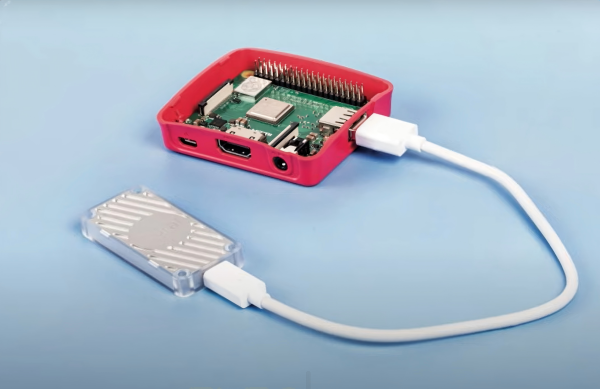
The Raspberry Pi requires an external AI acceleration module, for example:
- Google Coral USB Accelerator(Edge TPU)
- Raspberry Pi AI Kit
- Third-party PCIe AI cards (e.g. Intel Movidius NCS2)
It requires an additional investment, but the benefits are:
- Mature software adaptation (TensorFlow Lite, PyTorch, OpenCV can be directly invoked)
- Community tutorials are abundant, and it is easier to solve problems.
4. Stability and long-term availability
Many forum users have mentioned that the Orange Pi hardware can have problems over extended periods of time, for example:
- NVMe interface fails after a few months of use
- Motherboard heats up and requires additional cooling
- Some batches have power supply stability issues
The Raspberry Pi's mass production and quality control are more mature, with low hardware failure rates and longer lead times, making it ideal for productization projects.
Suggestion: If your project is a one-off prototype, take the plunge and try the Orange Pi; if it's a commercial product that needs to be deployed over a long period of time, the Raspberry Pi is more prudent.
Recommended products:WiFi/BT 5.2 Expansion Board for Orange Pi 5 Plus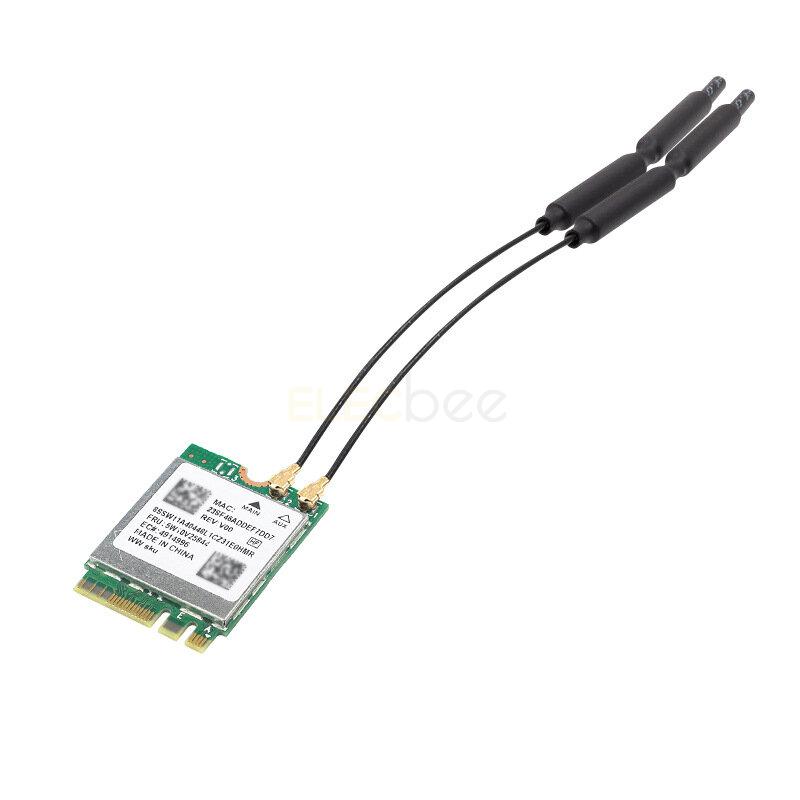
5. Actual performance tests
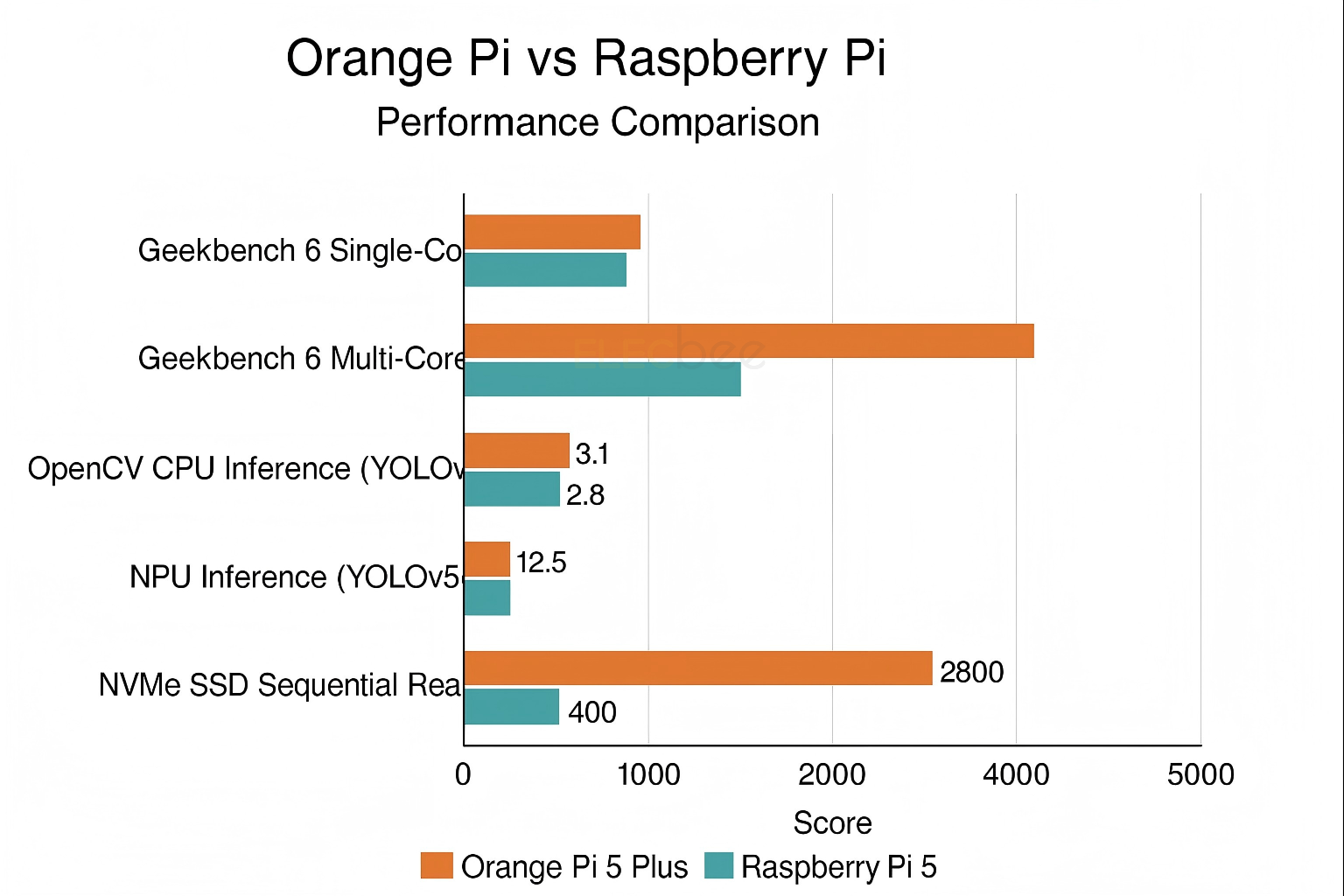
Below is a comparison of the data based on public community tests and my own tests (also using the 8GB RAM version):
|
Test Item |
Orange Pi 5 Plus |
Raspberry Pi 5 |
|
Geekbench 6 Single Core |
~910 |
~890 |
|
Geekbench 6 Multi-Core |
~4,500 |
~2,500 |
|
OpenCV CPU Inference (YOLOv5s) |
3.1 FPS |
2.8 FPS |
|
NPU Inference (YOLOv5s) |
12.5 FPS |
-(Requires external acceleration) |
|
NVMe SSD Sequential Read |
~2,800 MB/s |
~400 MB/s(USB 3.0) |
As you can see, the Orange Pi is indeed stronger in terms of multi-core performance and storage speed; however, the Raspberry Pi does not have much difference in terms of single-core performance, stability and system support, and is even better suited for some lightweight applications.
6. How to choose?
Scenes suitable for Orange Pi:
- Extreme performance requirements (video processing, large model inference)
- Some experience with Linux driver compilation
- Limited project budget, but need large memory and high-speed storage
- Just a one-off demo or personal research

Scenarios suitable for Raspberry Pi:
- Beginners or don't want to spend a lot of time debugging the system
- Commercialized, mass-produced, long-running projects
- Requires extensive peripheral, sensor and third-party library support
- Dependent on stability and community support
7. Conclusion
Orange Pi is the representative of price/performance ratio and hardware performance, suitable for players who have some development experience and are willing to toss and turn; while Raspberry Pi is synonymous with stability and ecology, suitable for projects pursuing stability and quick landing.
If your AI, GPS, Bluetooth project is more hardware performance-oriented, you can try Orange Pi, but be sure to leave enough time to solve driver and system problems; if you want to minimize pitfalls and quickly validate your prototype, Raspberry Pi is still a safe choice.
Whether you choose Orange Pi or Raspberry Pi, please visit our Raspberry Pi & Orange Pi section to learn more about the products and accessories that will help you build your ideal project.